Looks · Looks · Brand Kit

Your brand, in motion.

A Look is a full motion language: type, colour, transitions and a library of moments. Your brand kit, read from your website, sets the logo, palette, fonts and voice. Together they make every video and carousel unmistakably yours.

Start nowLooks · Brand Kit

01

Endless Looks.

A Look is a full motion language: type, colour, transitions and a library of moments. Start from one of ours, or build your own in the style creator and every video follows it.

app.kinoscale.com/#/styles
Style creator · a new Look from a sentence and a site
MidnightL01

Launches, models, developer tools

LuxeL02

Hardware, big-company moves

PopL03

Explainers, tips, consumer apps

PressL04

Analysis, policy, the real story

HoloL05

Breakthroughs, robotics, the future

NoirL06

Security, leaks, open source

02

What Looks includes.

2 tools, one brand kit, one calendar. Each runs on its own or as part of the daily line.

01 · Motion identity

Looks

Six motion systems to start. Then yours, from the style creator.

A Look is a complete motion language: type, colour, transitions and a library of visual moments. Pick one of six, or describe your own and Kinoscale designs it.

  • ASix production Looks
  • BYour own Look from a description, a site or a video
  • CBrand colours flow through every moment
  • DConsistent across every video
  1. Step 01

    Choose

    Midnight, Luxe, Pop, Press, Holo or Noir.

  2. Step 02

    Or describe

    A sentence, a site or a video you like.

  3. Step 03

    Preview

    See every moment in your colours.

  4. Step 04

    Use

    Every video follows it.

app.kinoscale.com/#/p/gemini-free-tier-shrinks-oct/5
Brand and Look · picked per brand, or per video
02 · From your website

Brand Kit

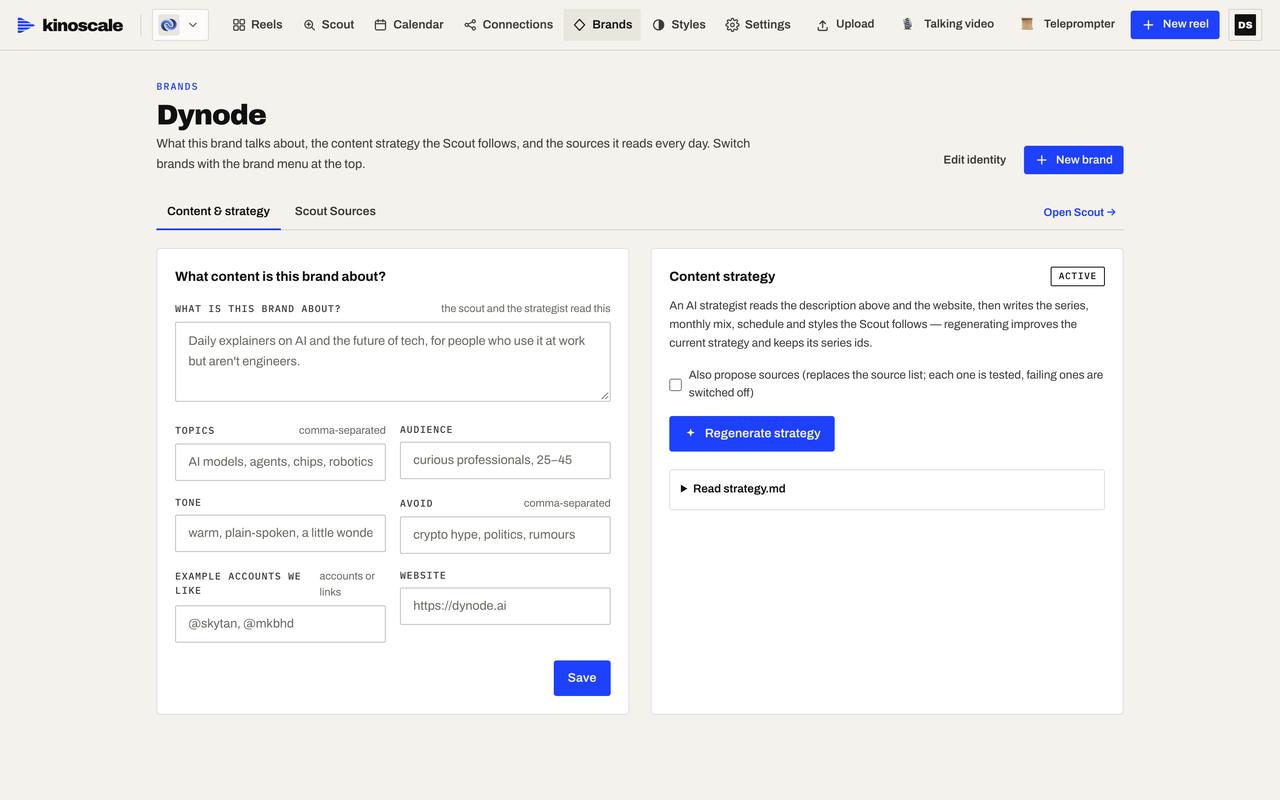
Paste your website. Get your brand, ready to produce.

Kinoscale reads your site and extracts logos, palette, fonts, voice and what you talk about. It writes a content strategy you can edit, and every tool uses it.

  • ALogos, palette and fonts extracted
  • BBrand voice and content description
  • CEditable content strategy
  • DShared across every tool
  1. Step 01

    Paste

    Your website address.

  2. Step 02

    Extract

    Logos, colours, fonts, voice.

  3. Step 03

    Shape

    Edit the description and strategy.

  4. Step 04

    Produce

    Every video starts on-brand.

app.kinoscale.com/#/brands
Brand Kit · logos, palette, fonts and voice from your site

03

More made with Kinoscale.

Posted on our own channels, Skip Ratio and Dynode.

  • Your own agent in one command

  • The “AI” shopping app was a call centre

  • One line of proof carrying an entire ad

  • Tesla’s Roadster can briefly fly

  • Meta will count sales your ads never got credit for

04

Looks questions.

No templates. Each video is designed for its story, in your brand and your Look. Start from one of the six Looks, or let the style creator build your own from a description, your website or a video you like. A director pass reviews every cut before it ships.

Yes. Describe it in a sentence, give a website or a video you like, and the style creator designs a Look with its palette, type and motion. Preview it, then every video follows it.

Logos, palette, fonts, the voice and what you talk about. You can edit all of it, and the content strategy written from it.

Yes. Each brand has its own kit, Look, channels and calendar, and you switch between them on the web and in the phone app.

Invite only · opening to first companies

Your strategy,on air.Every day.

We’re letting companies in one at a time. Leave your work email and we’ll send your invite: set up your brand, connect your channels and your first video is on its way.

Places are limited. One email when we open.

Brief in. Video out. Everywhere.